See it on you, before you buy it.
Virtual try-on puts a product onto a photograph of you — not a model with a different body, a different face and better lighting. Paste a link to anything you are shopping for, add one photo, and see it on yourself in about thirty seconds.
Free. No account, no app, no email. It works on any shop with a normal product page.
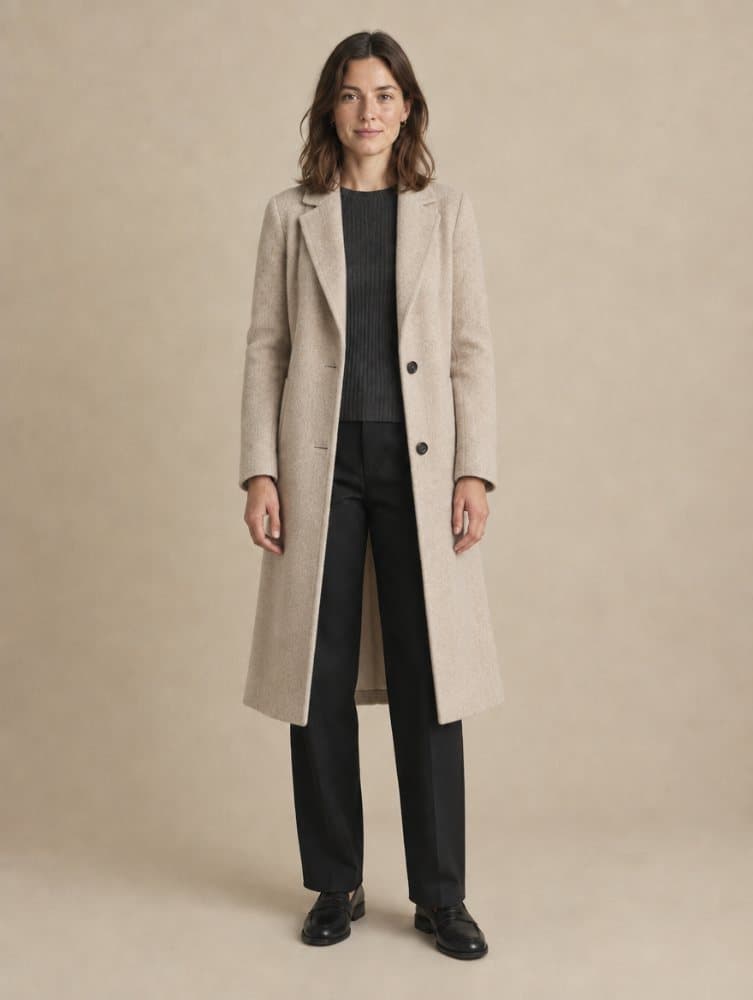
One product link and one photograph. Nothing was measured and nothing was drawn by hand.
How it works
- Step 1
Paste the link
Any product page. GetStyle reads it, finds the item and works out what kind of thing it is — that decides which photo of you it needs.
- Step 2
Add one photo
Full body for a coat, head and shoulders for glasses, a forearm for a watch. It checks the photo before spending your time on it and says plainly if the shot is wrong.
- Step 3
See it on you
About thirty seconds. Press and hold the result to see your original underneath, download it, or try the next product without uploading again.
What you can try on
Nine categories, and each one needs a different photograph of you. A watch cannot be judged from a full-body shot and a coat cannot be judged from a headshot, so GetStyle asks for the right one once it knows what the product is.
| Category | The photo it needs | Which means |
|---|---|---|
| Clothing | Full body | Full body, facing the camera, arms slightly away from your sides. |
| Outerwear | Full body | Full body, facing the camera, arms slightly away from your sides. |
| Bags | Full body | Full body, facing the camera, arms slightly away from your sides. |
| Eyewear | Head and shoulders | Head and shoulders, facing forward, hair back from your face. |
| Hats | Head and shoulders | Head and shoulders, facing forward, hair back from your face. |
| Earrings | Head and shoulders | Head and shoulders, facing forward, hair back from your face. |
| Necklaces | Head and shoulders | Head and shoulders, facing forward, hair back from your face. |
| Watches | Forearm and hand | Your forearm and hand, palm down, against a plain background. |
| Bracelets | Forearm and hand | Your forearm and hand, palm down, against a plain background. |
| Shoes | Feet | Standing, feet visible, shot from around knee height. |
Questions
What is virtual try-on?
Virtual try-on puts a product onto a photograph of you, so you can see how it looks on your own body and face rather than on a model. GetStyle does it from a link to any product page and one photo of yourself, in about thirty seconds.
Do I need an account?
No. There is no sign-up, no email required and no app to install. You paste a link, add a photo, and get a result.
Is it free?
Yes. The tool is free because the photos people upload are used to train the try-on models and make them better. You can decline that and still get your try-on, and you can delete your photo at any time.
What can I try on?
Clothing and outerwear, bags, glasses, watches, bracelets, necklaces, earrings and shoes. Each one needs a different photograph of you, and GetStyle asks for the right one once it knows what you are trying on.
Which shops does it work with?
Most of them. GetStyle reads the product page itself, so any shop with a normal product page works. A few block automated readers; when that happens it says so rather than guessing.
What happens to my photo?
It is used to make your image, and kept to train the models unless you say otherwise. It is never sold and never published. One click removes it from our stored photos and from any future training — models already trained cannot be un-trained, and we do not pretend otherwise.
Can I try something on without uploading a photo of myself?
Yes. Pick one of our four models instead and the product is fitted onto them. Nothing of yours is stored, because nothing of yours is involved.
How long does it take?
About thirty seconds. A first, rougher image usually appears in six, and a sharper one replaces it in place a few seconds later.
Try it on something
Find something you are thinking about buying, copy the link, and see it on yourself. It takes about a minute and costs nothing.
Paste a product linkRun a shop? The same thing, on your product pages