This, on your product pages.
GetStyle is free for shoppers and it is also a working demo. The engine behind it does two things for a shop: it puts try-on inside your own product pages, and it turns a flat-lay of a garment into a photograph of that garment being worn.
The fastest way to judge it is not a call. Paste one of your own product links and look at the result.
Two things, one engine

Try-on, inside your product pages
A shopper uploads one photo and sees the item on themselves without leaving the page. It answers the question that stops people buying online — what will this look like on me — and it answers it before the order, not after the delivery.
Shopify app, or a panel for stores that are not on Shopify.
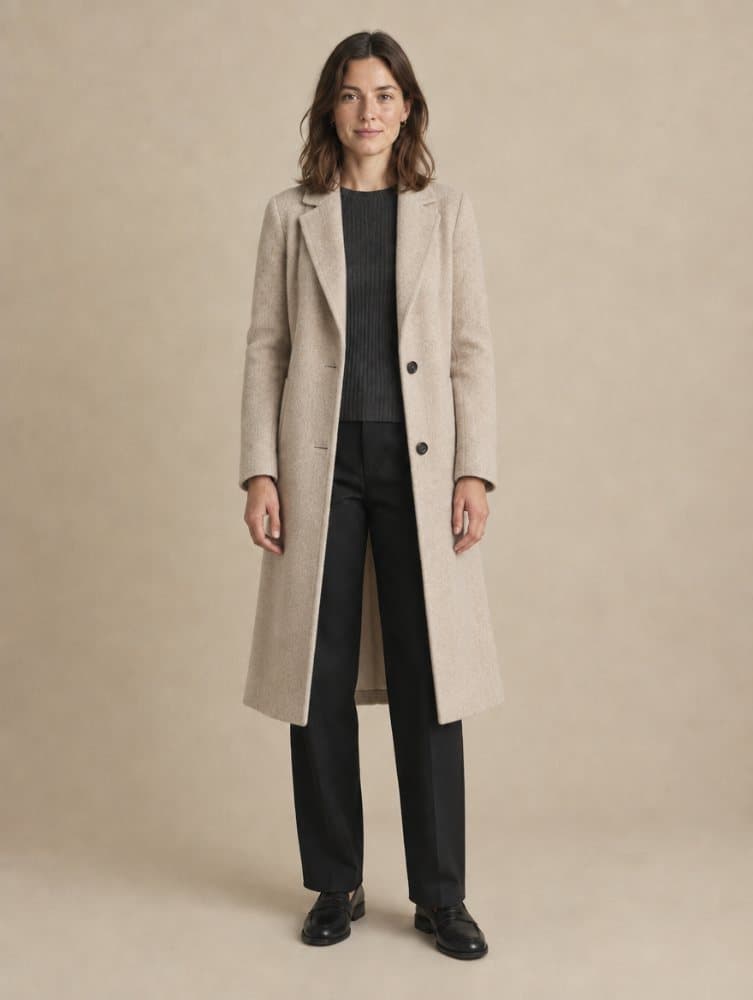
On-model photographs, from a flat-lay
A garment photographed flat on a table becomes a photograph of that garment worn. A shoot is the cost that keeps a small catalogue looking small — a studio, a model, a photographer and a day, for a set of items that changes next season.
Shootika — on-model photographs from a flat-lay. Opening shortly; until then, ask us and we will put your own product on a model for you.
What it does not do
It does not measure anybody and it does not promise a size. It shows how something looks, not how it fits. Anyone selling you a returns-reduction number from a photograph is guessing, and you will be the one defending that number internally.
Some shops block automated readers, so a link from those will not import. Results are best when the garment is clear against its background — a busy scene gives the model an ambiguous edge to work from.
Questions
What does this actually do for a shop?
Two things, from the same engine. It can put try-on inside your product pages, so a shopper sees the item on themselves before buying. And it can turn a flat-lay photograph of a garment into a photograph of that garment worn by a model, so a catalogue does not need a shoot to look like it had one.
Can I see it work before talking to anyone?
Yes, and that is what this whole site is. Paste one of your own product links, pick a model or upload a photo, and you will see exactly what your customers would see. Nothing is signed up for and nothing is charged.
Do I need to send you my catalogue?
No. The demo reads a single product page the same way a shopper's browser would. A real integration imports your catalogue, but nothing has to move before you have seen it work.
What kind of product photo does it need?
A flat-lay, a ghost-mannequin shot or a clean photograph on a plain background. The clearer the garment is against its background, the better the result — a busy scene gives the model an ambiguous edge to work from.
What does it not do?
It does not measure anybody or promise a size. It shows how something looks, not how it fits, and we would rather say that than let a shopper find out after delivery.
Which platforms does it work with?
There is a Shopify app, and a standalone panel for stores that are not on Shopify — WooCommerce, custom storefronts and anything else with product pages.
Use your own product
Copy a link from your own shop and run it through. It is the same engine your customers would be using, and it costs you a minute.
Paste a product linkShopping rather than selling? How try-on works for you