Virtual watch try-on
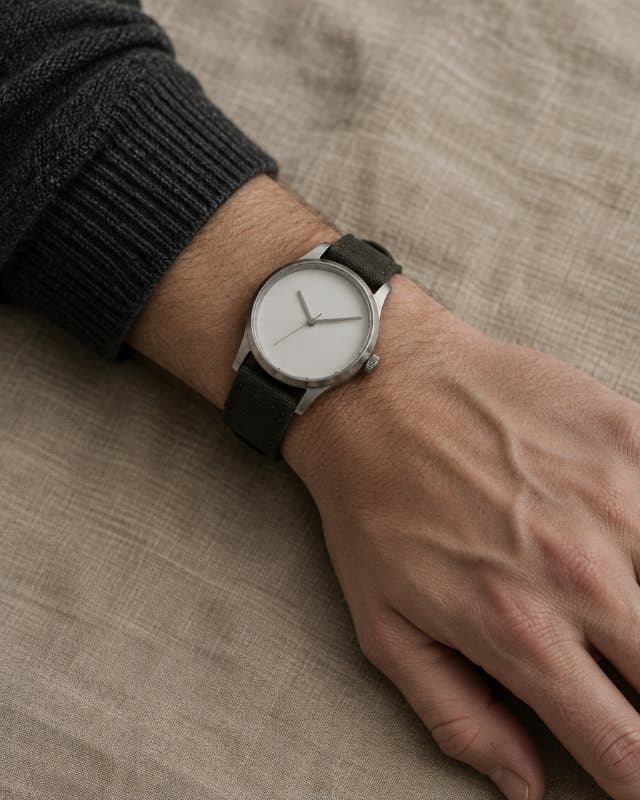
A watch photographed on a model's wrist tells you little about how it will sit on yours. Paste the product link from any shop, add one photo of your forearm, and GetStyle puts that exact watch on your wrist.
It works with brand sites, marketplaces and independent watch shops — anywhere with a normal product page.
Free. No account, no app.
How to do it
- Step 1
Copy the product link
From any online shop. The shop does not need to offer try-on.
- Step 2
Add one photo
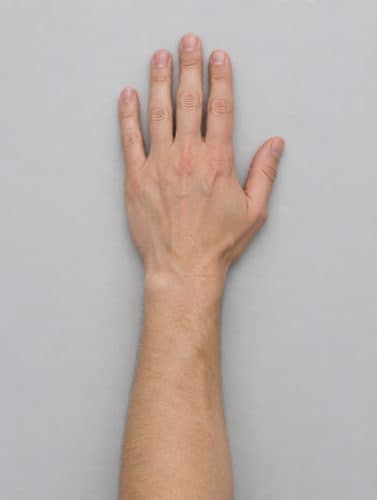
Your forearm and hand, palm down, against a plain background.
- Step 3
See it on you
About thirty seconds later. Then try the next one without uploading again.
Tips for the best result
- Photograph the wrist you actually wear a watch on.
- Push your sleeve back so the whole wrist and the top of your hand are visible.
- Daylight and a plain surface underneath give the cleanest result.
Questions
Can I try on a watch from any shop?
Yes. Paste the link to the watch's product page from any online shop. GetStyle reads the page, finds the watch and shows it on your wrist.
Will it show the right size on my wrist?
It shows how the watch looks on you, not an exact measurement of your wrist. Compare the case diameter on the product page with a watch you already own to be sure of the size.
What photo do I need?
Your forearm and hand, palm down, against a plain background. One photo is enough, and you can reuse it for every watch you try.
Try it on something
Find the one you are thinking about, copy the link, and see it on you. It takes about a minute and costs nothing.
Paste a product linkAlso try on: jewelry, dresses, shoes or anything else.